Write your book on the pages
it will be printed on.
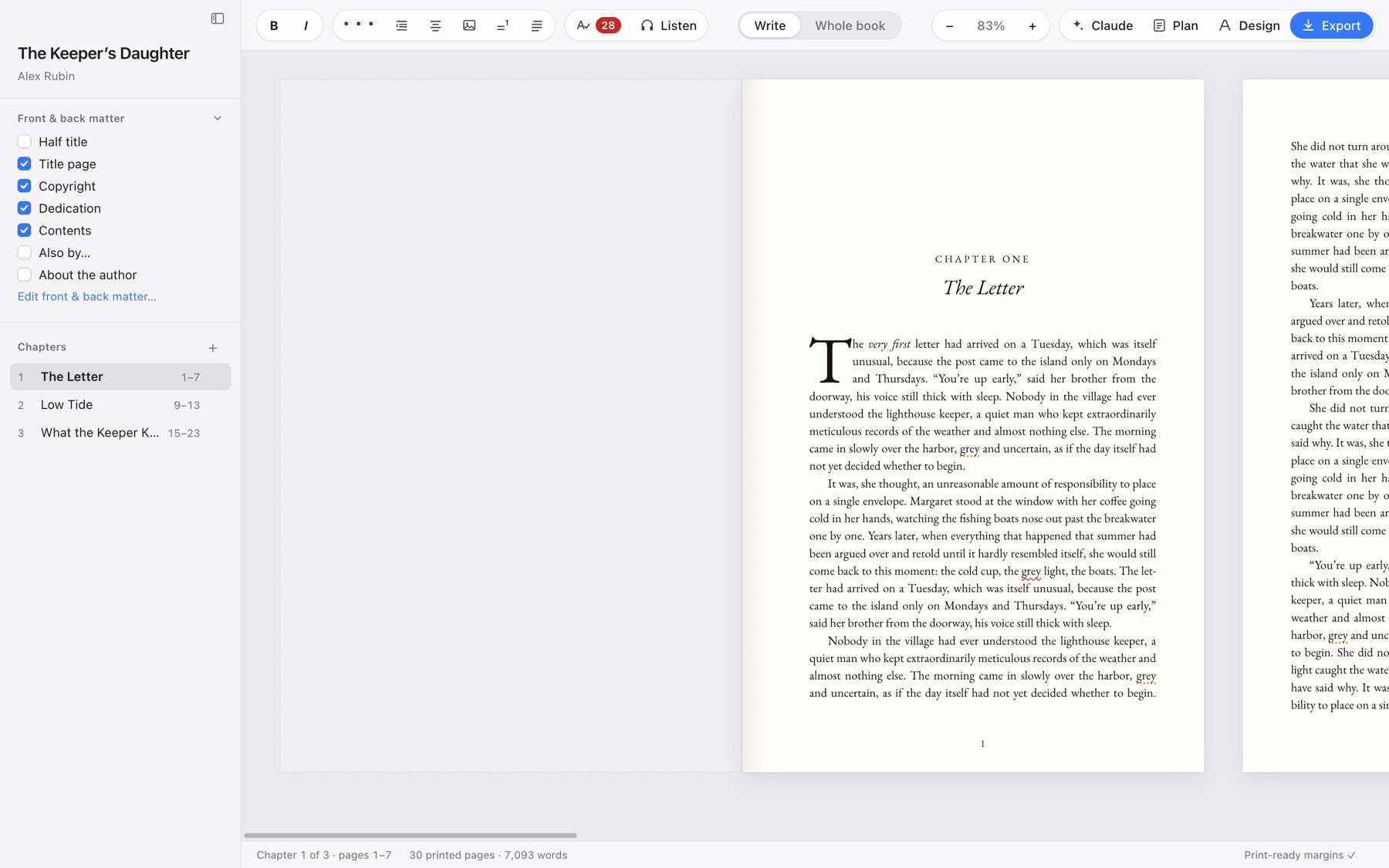
Manutius is a Mac app for authors who publish. You type on real 6×9 pages — same font, same margins, same page breaks as the finished book — and export a print-ready PDF, an EPUB and a cover when you’re done.
Free 14-day trial, no card needed · macOS 12 or later · Apple silicon and Intel
Everything between the first draft and the printer.
No exporting to another tool to “see how it looks”. It always looks like the book.
Real pages, live
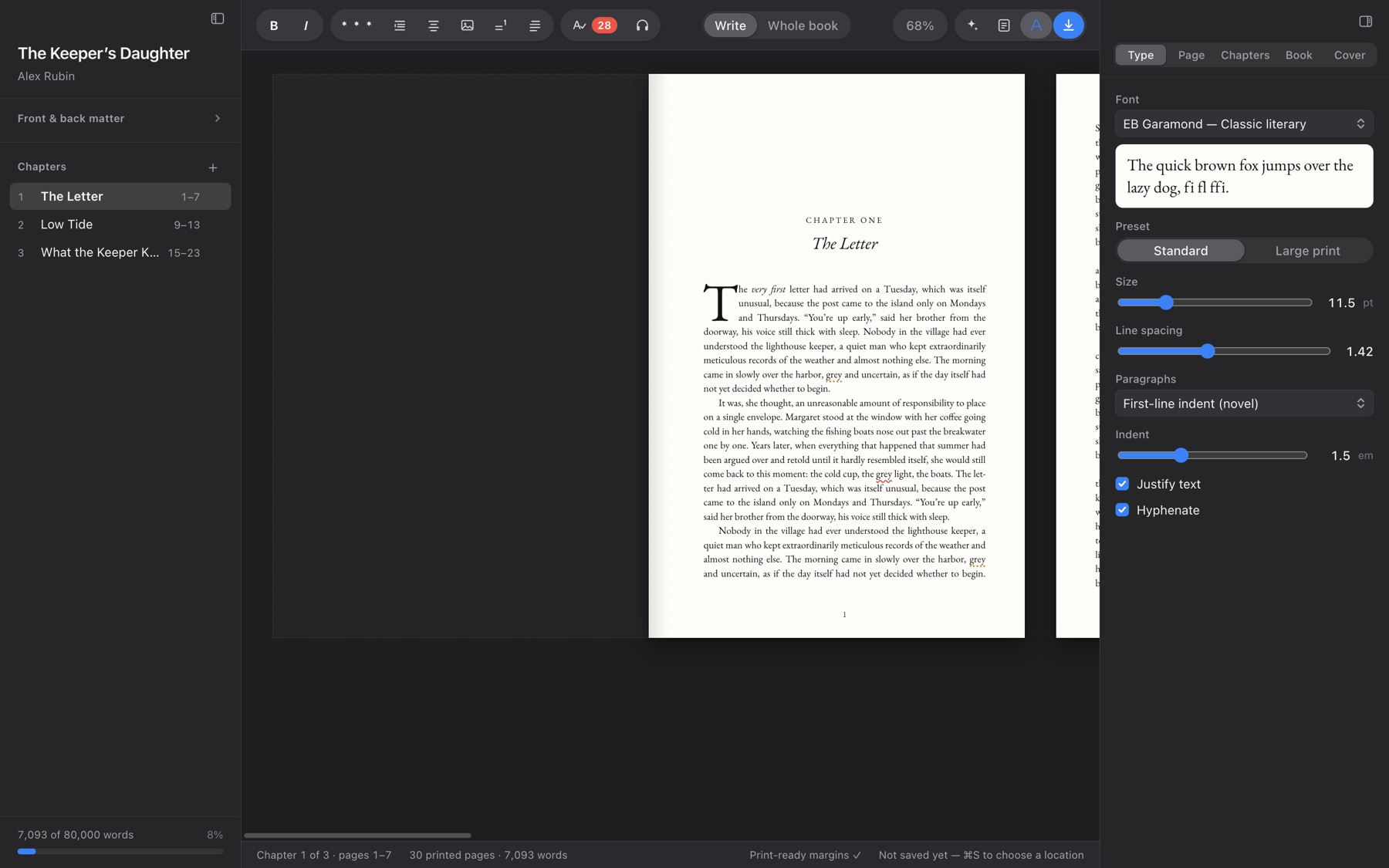
Chapters flow onto pages as you type. Chapter openers, running heads, page numbers, drop caps, widows and orphans — handled the way a typesetter would.
Print PDF for KDP & IngramSpark
Exact trim size, embedded fonts, mirrored margins, correct page boxes. Trim sizes from 5×8 to 7×10, paperback and hardcover, plus a large-print preset.
EPUB for every store
A clean reflowable ebook for Kindle, Apple Books and Kobo, with your cover included.
Covers with the spine done for you
Add front art; Manutius computes the spine from your page count and paper, builds the back with blurb and barcode area, and exports a full-wrap print PDF and a store JPG.
Front and back matter
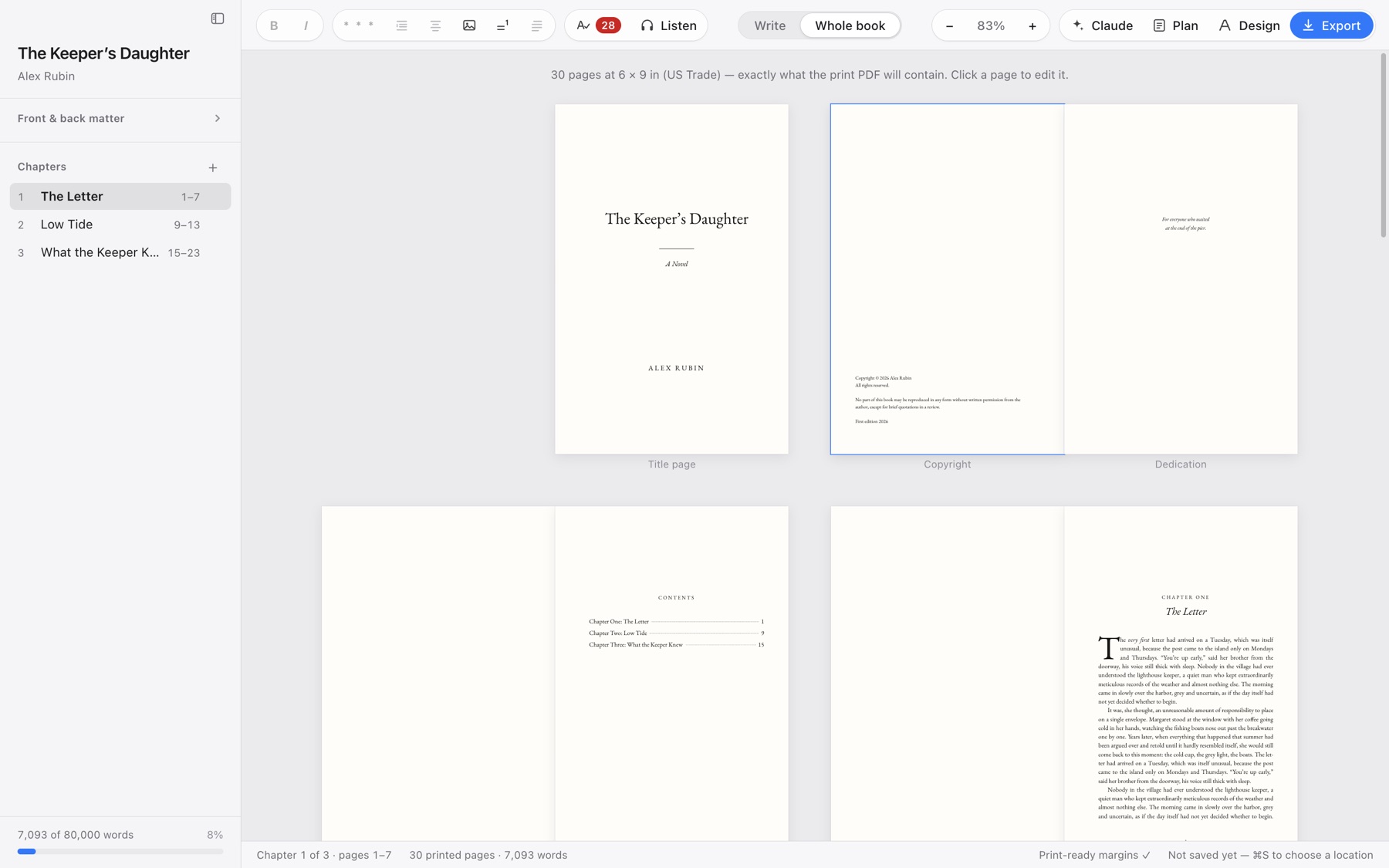
Half title, title page, copyright, dedication, contents, parts, “Also by”, about the author, endnotes — one checkbox each.
Spelling & grammar, offline
Underlines for spelling, grammar and style in American, British, Canadian or Australian English. Runs on your Mac; nothing leaves it.
Listen to your draft
Natural voices read from the cursor and highlight each sentence. Export a chapter as audio for the commute.
Plan alongside the text
Word goal and pace, chapter status and targets, synopsis, cast and to-dos — saved inside the book file.
Claude, if you want it
Optional: a side panel and a Claude Code connection can read and, with your permission, edit the manuscript. Every edit has Undo. Uses your own Claude account.
Pricing
One license works on up to 3 Macs. Try everything free for 14 days first.
Prices in USD. Secure checkout by Stripe. Lost your key? Recover it by email.
Questions
What happens when the trial ends?
Manutius becomes read-only: you can still open every book, read it and copy your text out, but not edit or export until you buy. Your files are always yours — they are plain .book files on your Mac.
Does it work offline?
Yes. Writing, proofing, export and covers all run on your Mac. The voice for Listen is downloaded once (about 95 MB) and then works offline. The app checks in with manutius.app occasionally to confirm a license and look for updates.
Which Macs?
macOS 12 Monterey or later. There are separate downloads for Apple silicon and Intel.
Is the PDF really print-ready?
It is the same layout you see on screen, at exact trim size with fonts embedded and bleed-free interior pages, which is what KDP and IngramSpark ask for. The status bar warns you if your inside margin is too small for your page count.
Do I need Claude?
No. The Claude panel is optional and only appears useful if you have Claude Code installed with your own account. Everything else works without it.
Refunds?
If Manutius isn’t for you, email hello@manutius.app within 14 days of buying and we’ll refund you.